We earn commissions when you shop through the links below.
Contents
Mercury 3hours Account
This is a field note from llcclass founder Sara Parker. From the moment she clicked “Apply” at 09:00 to the approval email arriving at 12:00, only 3 hours elapsed. She also deposited $10,000 right away and triggered Mercury’s $250 cashback. Follow the same timeline, and any non‑US founder can replicate the result.
0-Minute Overview: The 3-Hour Timeline
| Time | Key Action | Deliverable |
|---|---|---|
| 09:00 – 09:20 | Pre-flight check: company docs / website / personal address-proof | All PDFs and screenshots renamed and organized |
| 09:20 – 09:50 | Online form: company info + team info + business description | Mercury account created, waiting for KYC |
| 09:50 – 10:20 | Identity verification and selfie | Passport & liveness check cleared in one attempt |
| 10:20 – 10:40 | Upload LLC documents + proof of address | All certificates, operating agreement, billing statements uploaded |
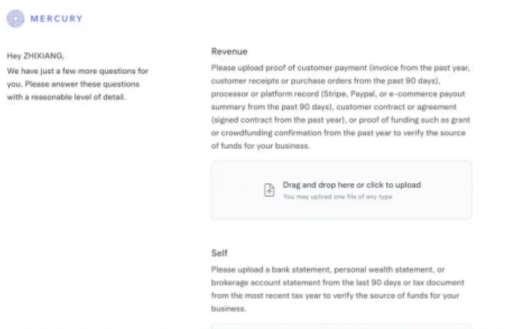
| 10:40 – 11:10 | Follow-up questionnaire / business evidence | Submitted Stripe payouts & client contracts |
| 11:10 – 11:40 | Email discussion with compliance (IP, website) | Responded to analyst with explanations and attachments |
| 11:40 – 12:00 | Approval + dashboard access | Mercury console unlocked, deposit scheduled |
Pro tip: Use the same computer, browser, and network throughout the process to minimize additional risk checks.
Step 0 · 09:00 – 09:20 · Pre-flight Check in 20 Minutes
Sara Parker insists on running a “pre-check” before touching the application page. Prepare everything as PDF or high-resolution screenshots and name files consistently, such as “LLCClass_DocumentType_20251018.pdf”.
- LLC documents: Certificate of Formation, Operating Agreement, EIN confirmation letter (scan to PDF).
- Company website: Build an “About llcclass” page featuring business overview, product screenshots, and contact info.
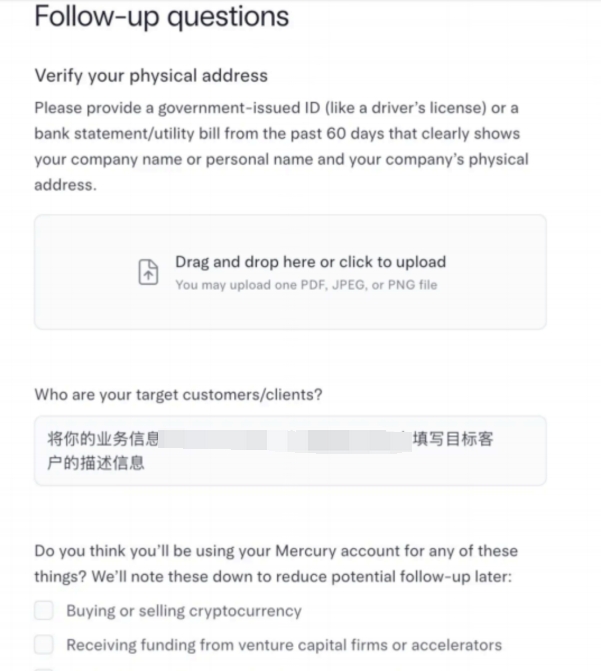
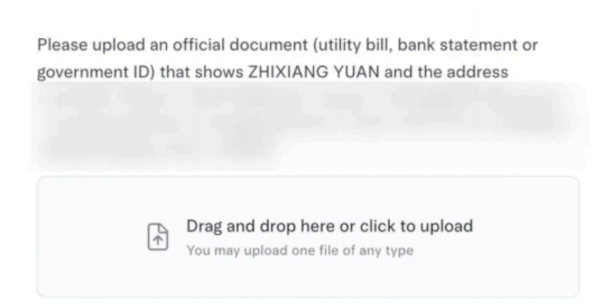
- Proof of address: A personal credit card or bank statement within the last 60 days that shows your English name and full address.
- Business evidence: Stripe / PayPal payout summaries for the last three months and two client contracts.
- KYC hardware: Valid passport at hand, webcam tested, no strong backlight.
- Network hygiene: Turn off VPN/proxy so that your IP matches your declared location.
Only after everything passes the checklist did Sara open the Mercury application page (09:20).
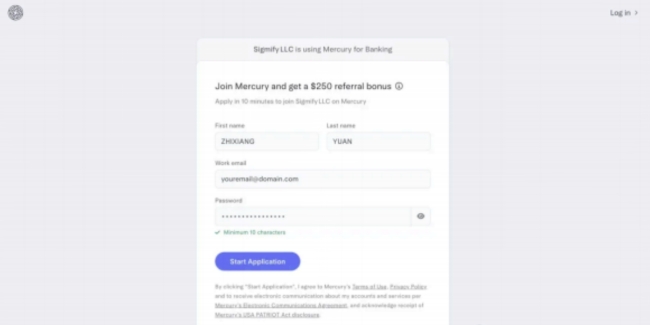
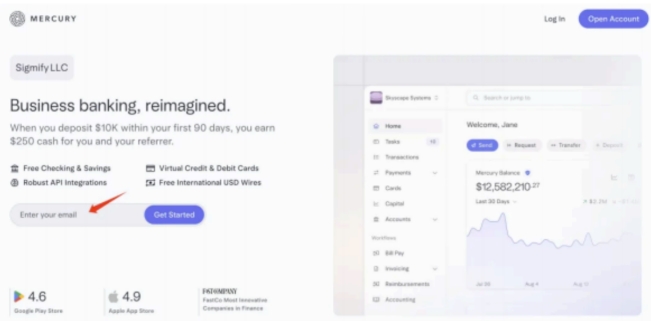
Step 1 · 09:20 – 09:50 · Complete the Online Form in 30 Minutes
-
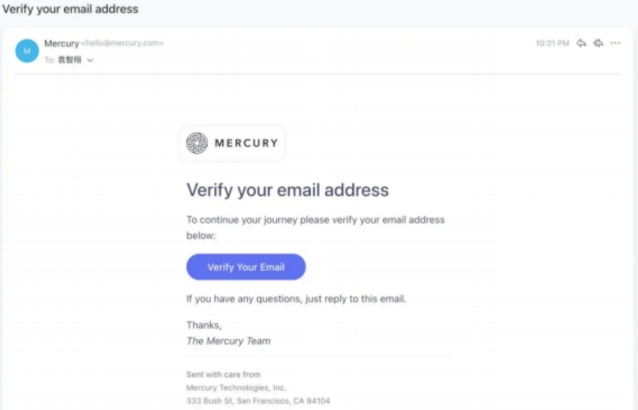
Create account & verify email
- Register with a branded email, e.g.
sara@llcclass.com. Click the verification link to enter the actual form.
- Register with a branded email, e.g.
-
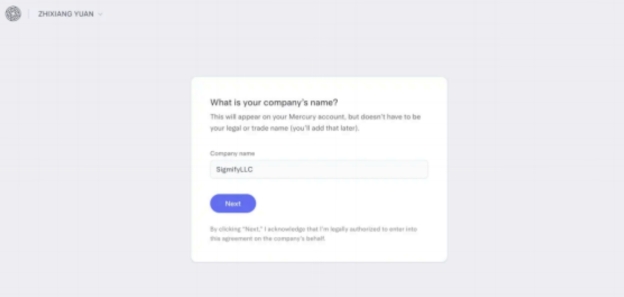
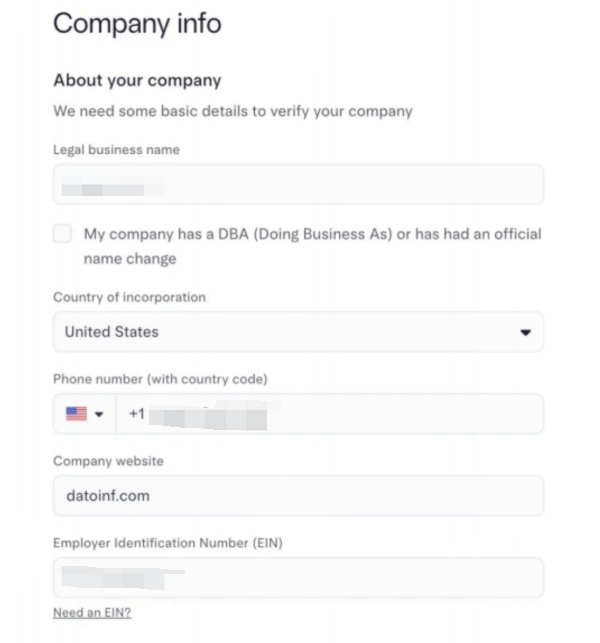
Company information
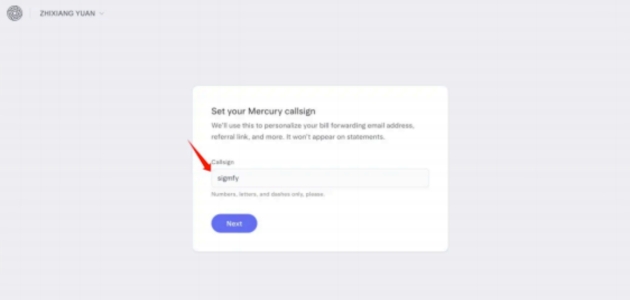
- Keep the Legal Business Name identical to your formation documents; Sara used “LLCClassHQ” for the Mercury Callsign.
- Enter the “About” page URL you just prepared.
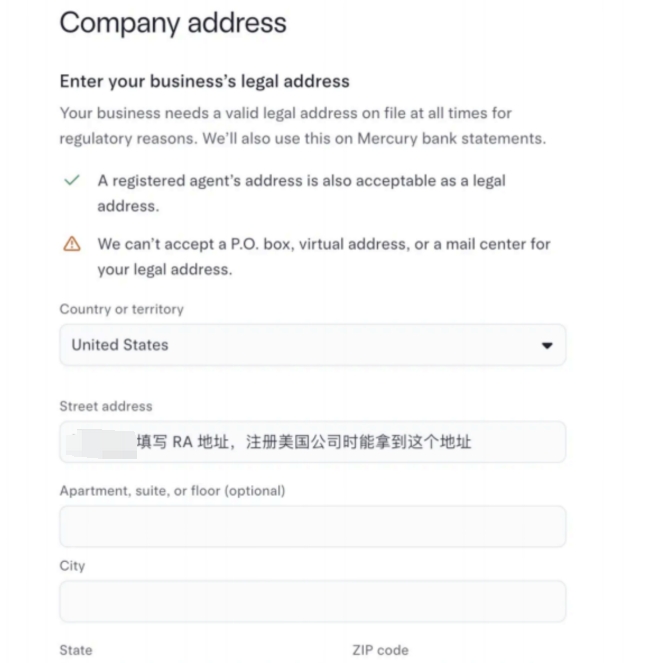
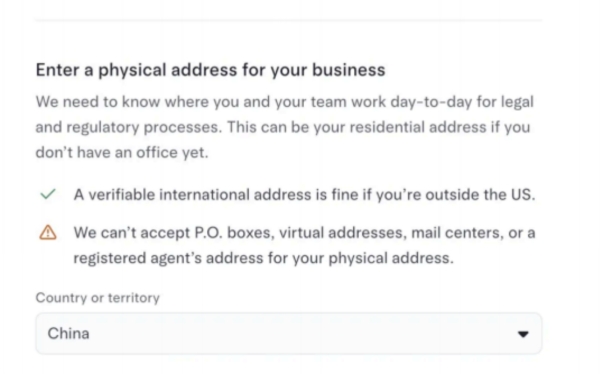
- Provide both the registered agent address (for Legal Business Address) and your actual operating address (for Physical Address).
-
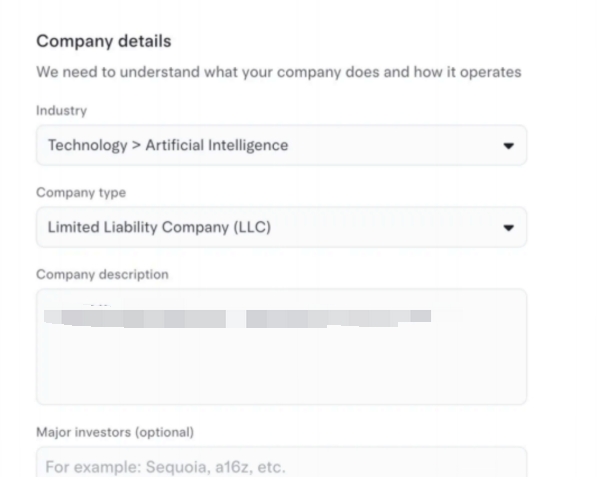
Business description tips (critical)
- Draft 2–3 concise English paragraphs describing business model, revenue stream, and target customers.
- Ensure wording matches your website; inconsistent language is a common trigger for additional questions.
-
Team structure & source of funds
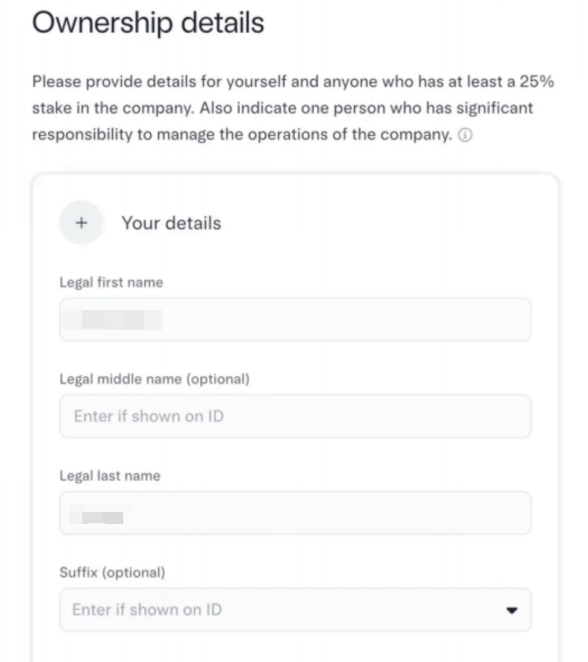
- List every shareholder, even if you are the only owner.
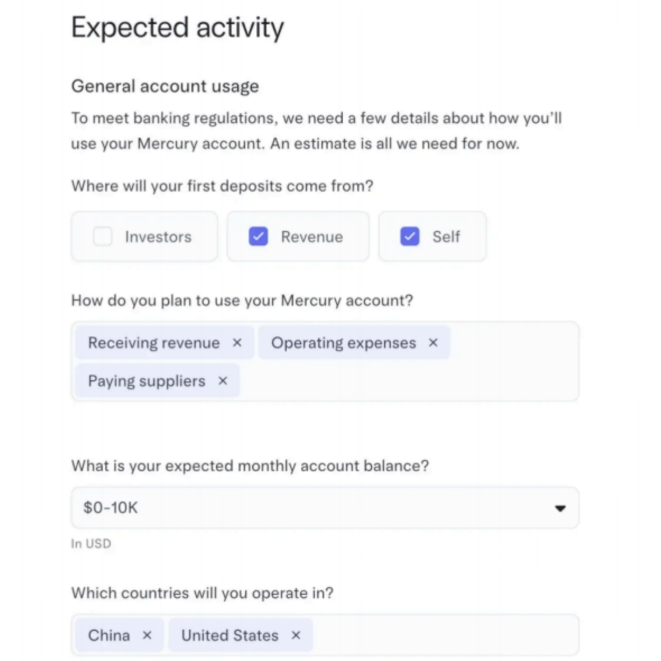
- Keep “Expected monthly transaction volume” and “Source of funds” realistic (Sara entered 10k–50k USD, sourced from customer subscriptions and retained capital).
Once submitted, the page automatically transitions to KYC.
Step 2 · 09:50 – 10:20 · Clear KYC & Liveness in One Go
-
Passport upload
- Scan or photograph all four corners clearly; Mercury accepts Chinese passports without translation.
-
Real-time selfie
- Use the laptop camera, follow the on-screen instructions to turn your head, and finish within two minutes.
- A successful selfie leads straight to the document upload screen.
Avoiding pitfalls: Mercury logs your IP during verification. If you are on a VPN or cloud server, compliance will likely ask for an explanation. Sara disabled all proxies and used her home broadband to keep the IP consistent with her address proof.
Step 3 · 10:20 – 10:40 · Upload LLC Documents & Proof of Address
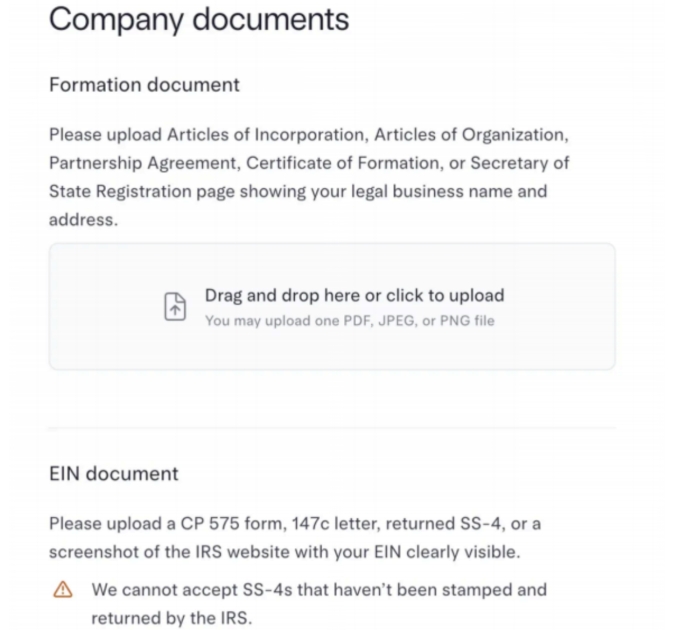
The following four PDFs were uploaded in order:
- Certificate of Formation
- Operating Agreement
- EIN confirmation letter (SS-4 or CP 575)
- Personal proof of address (credit card/bank statement)
Sara named everything “LLCClass_*_20251018.pdf” to help reviewers retrieve them quickly.
Step 4 · 10:40 – 11:10 · Supplemental Questions & Business Evidence
During this stage Sara answered three additional requests directly inside Mercury or via email:
-
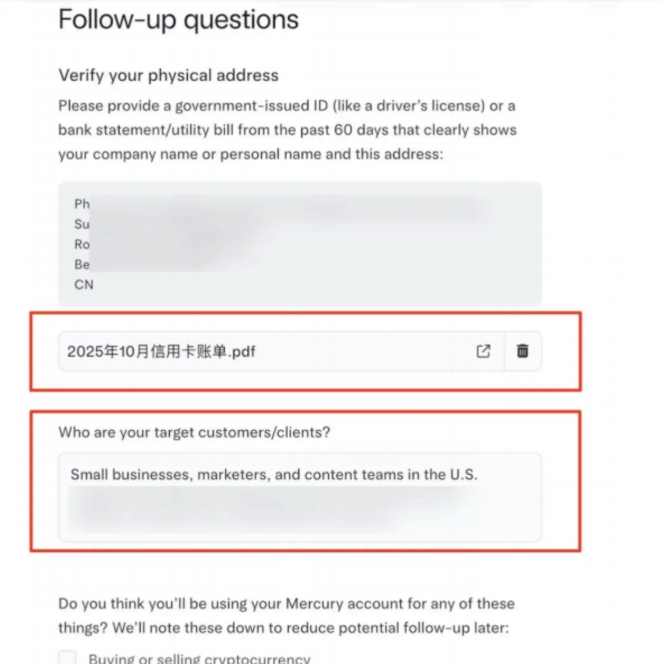
Show business activity
- Uploaded Stripe monthly payout screenshots (with sensitive data blurred).
- Added two B2B contracts highlighting counterparties and signatures.
-
Explain source of funds
- Provided a Wise USD account statement to prove where the initial deposit would come from.
-
Website review
- Shared an additional product page that showcased AI tutorials and pricing to reinforce legitimacy.
All replies were kept short, professional, and in clean English paragraphs.
Step 5 · 11:10 – 11:40 · Email Follow-Up & Clearing Red Flags
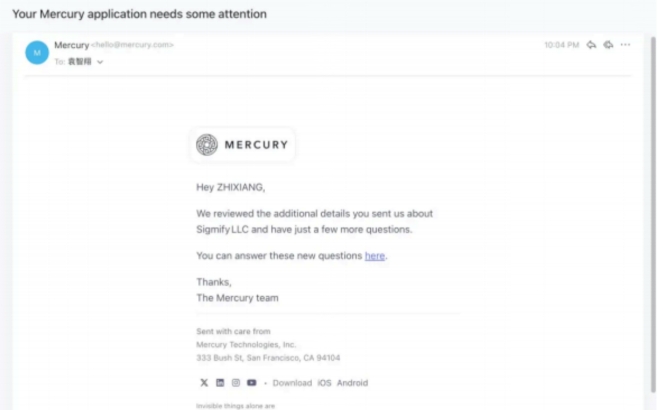
At 11:12 the Mercury analyst emailed Sara with two concerns:
-
IP vs. physical address mismatch
- Response: “I was in Shanghai during the application. I occasionally use a VPN for product testing, but I disabled it during KYC. Here’s a screenshot of my ISP bill.” (Attachment included.)
-
Is the business high-risk?
- Response: “llcclass focuses on education content and SaaS automation. We do not deal with crypto, derivatives, or restricted jurisdictions.”
She responded within 10 minutes, attached supporting files (with watermarks removed), and maintained a polite, concise tone.
Step 6 · 11:40 – 12:00 · Approval & Immediate Deposit
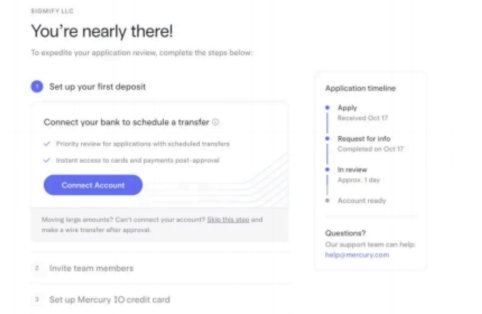
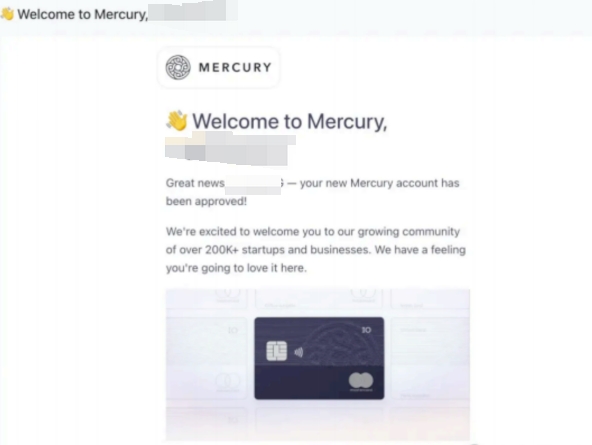
By 11:45 the “Welcome to Mercury” email arrived and the dashboard was unlocked:
- Set a login password and enable 2FA.
- Generate the first virtual debit card and USD routing/account numbers.
- Schedule a $10,000 deposit right away (Sara used Wise and selected the
OURoption so Mercury receives the full amount).
Before 12:00 the wire was initiated. She left the balance untouched for one business day and the $250 reward arrived four to five weeks later.
Common Supplemental Requests (and How Sara Answered Them)
| Scenario | What Mercury Wants to Confirm | Sara Parker’s Response |
|---|---|---|
| IP vs. address mismatch | Are you really located where you claim? | Provided ISP invoice or travel explanation, plus location screenshot |
| Website is too simple | Is your company actually operating? | Built a dedicated About page with services, screenshots, and contacts |
| No revenue yet | Is it an empty shell? | Submitted trial payments, product demo video, or early invoices |
| Missing proof of residence | Can they tie you to a physical address? | Uploaded a bank/utility bill matching the declared address |
| Unclear funding source | Is the $10k deposit legitimate? | Shared personal/business bank statements showing available funds |
How to Trigger the $250 Cashback
- Use the llcclass referral link: https://mercury.com/r/llcclass
- Deposit $10,000 within 90 days of opening and keep the balance for at least one business day.
- Watch Mercury’s emails: the reward usually lands 3–5 weeks after requirements are met.
- Bookkeeping tip: categorize the reward as “Miscellaneous Income” for clean accounting and tax filing.
FAQ: Top 7 Questions from the llcclass Community
Q1. Do I need a physical US office?
No. Mercury accepts the registered agent address for your business and your domestic address for residence proof.
Q2. Is a website mandatory?
Highly recommended. Reviewers open your link manually, and a blank/under-construction page is a frequent reason for rejection.
Q3. Can a single-member LLC apply?
Yes. Sara’s single-member LLC was approved—just list yourself as the sole owner.
Q4. How fast should I reply to supplemental emails?
Within 24 hours. Fast, professional responses demonstrate strong compliance awareness.
Q5. Can I fund the account from China?
Yes. Wise, Airwallex, or traditional international wires all work, as long as you keep the transfer receipts.
Q6. Is the cashback taxable?
Classify it as non-operating income (Miscellaneous Income). If rewards exceed $600 in a calendar year, Mercury will issue a 1099.
Q7. Can I request a physical card after approval?
Yes. Mercury ships physical debit cards to most regions worldwide.
llcclass Wrap-Up: The 3-Hour Takeaways
- Preparation drives approval: double-check every document before applying—over-preparing beats scrambling for a re-upload.
- Consistency matters: align the wording in your form, website, and follow-up emails.
- Speed builds trust: Mercury appreciates quick responses. Sara’s rule: reply in under 30 minutes with complete attachments.
- Deposit early to claim rewards: keeping $10,000 in the account for a single business day satisfies the promo terms and supports future expenses.
- Keep the account healthy: approval is only the beginning. Continue updating your website, log revenue, and maintain clean banking records—this pays off when you apply for credit cards or funding later.
Follow this 3-hour framework and you’ll be able to replicate what llcclass and Sara Parker accomplished: a live Mercury business account, the first deposit, and a $250 reward—all on the same day.